REC/ Take 01TC 00:00:30:00

MAGI-2 Web Studio · magie2.com

MAGI-2Thirty seconds. One take. Sound included.

Direct whole scenes with the 480B video model: 1080p at 25 fps, dialogue that lands on the lips, foley on the frame, and cuts on the second you write. Create with MAGI-2 right in your browser.

one continuous take
30 s
25 fps master
1080p
dialogue · foley · music
Native
image + video references
9 + 5
parameters · 28B active
480B

The short answer

Updated

magie2.com is a browser studio for MAGI-2, the 480B video model its developers released on November 24, 2026. Write a prompt, or add up to 9 reference images and 5 reference videos, pick 4 to 30 seconds and 16:9, 9:16 or 1:1, and MAGI-2 renders 1080p video with its own dialogue, sound effects and music. Sign-up is free and needs no card: new accounts get 10 credits for one watermarked 4-second clip. After that, renders cost 2.8 credits per second, have no watermark and download as MP4. If a render fails because of a system or upstream error, its credits come back automatically.

What's new on this page

  1. Rebuilt for the full MAGI-2 release. Specs re-checked against the developers' November 24 release notes, plus a new table that separates model features from what the studio offers. Failed renders now show the actual reason.

  2. Every free trial is now exactly 4 seconds. When MAGI-2 is busy, free accounts can spend their credits on a 480p Seedance 2.5 Flash trial instead.

  3. MAGI-2 now renders in 1080p only, and the free trial needs a free account instead of the old no-login guest mode.

  4. The MAGI-2 Web Studio opened with text-to-video and image-to-video.

01MAGI-2 Web Studio

Write the scene. MAGI-2 shoots it.

Prompt in plain language or attach references, pick a length and aspect ratio, and render in the browser. New accounts get 10 free credits, enough for a 4-second 1080p trial with native audio.

  • 10 free credits
  • 4–30 s · 1080p
  • No card required
MAGI-2 StudioMAGIE2.COM

02The model

A scene model, not a clip model

MAGI-2 is a 480-billion-parameter video model (about 28B active per token) that generates up to 30 seconds of 1080p, 25 fps picture and synchronized sound together, in one pass.

Most video generators make the picture first, add sound later, and lose the thread after a few seconds. MAGI-2 reads text, video and audio tokens as one sequence in a single-stream Transformer, so camera movement, performance and acoustics develop together. One prompt can hold an opening move, a spoken exchange and a closing beat, with no stitching afterward.

The full release arrived on November 24, 2026, following the August Preview. Scaling the model from about 114B to 480B parameters and the training data to about 4T tokens lifted its four-task average Elo on Artificial Analysis Video Arena v2.1 from 998.5 to 1150.3.

Spec sheet

Rev. Nov 2026
Release
November 24, 2026 (Preview: August 2026)
Scale
480B total parameters, about 28B active per token
Architecture
Single-stream Transformer with Multi-Head Latent MoE
Training data
About 4T multimodal tokens, roughly 3× the Preview
Duration
Up to 30 seconds in one generation
Output
1080p at 25 fps in six aspect ratios
Audio
Dialogue with lip-sync, foley, ambience and music
References
Up to 20 per request: 10 images, 5 videos, 5 audio clips
Direction
Timed beats, hard cuts and targeted edits on existing video

Figures follow the developers' MAGI-2 release notes of November 24, 2026. magie2.com updates this sheet when the model changes.

Model vs. magie2.com

Checked Nov 28, 2026
FeatureMAGI-2 modelOn magie2.com
LengthUp to 30 s4–30 s per video
Resolution1080p, 25 fps1080p
Aspect ratiosSix16:9, 9:16, 1:1
ReferencesUp to 20: 10 images, 5 videos, 5 audioUp to 9 images + 5 videos, or a first and last frame
Native audioDialogue, foley, musicIncluded in every video
Edit existing videoTargeted editsNot available yet

Left: what the model can do, per the developers' release notes. Right: what you can use in the magie2.com studio today.

03What it does

Five things MAGI-2 does in a single pass

Every clip below is one MAGI-2 generation. Turn the sound on where you see the button: the audio came out of the same pass as the picture.

01 / 05Long take≤ 30 s · one take

Thirty seconds without losing the shot

Light, weather and the subject hold from the first frame to the last. Slow reveals, long tracking moves and a full three-beat scene fit in one take, without drift or sudden resets.

  • Up to 30 seconds per generation at 1080p, 25 fps
  • Lighting and subject identity stay consistent throughout
  • Room for a beginning, middle and end in one prompt
OUTDawn over an alpine basin, one continuous 30-second take
02 / 05Native audioDialogue · foley · music

Picture and sound from the same pass

The audio is not added afterward. Lines land on the actor's lips, footsteps hit on the frame they happen, and the room sound changes as the camera moves closer or farther away.

  • Spoken dialogue with lip-sync
  • Foley and ambience matched to the frame and the camera distance
  • Music generated alongside the picture
OUTCabin dialogue with model-chosen coverage and native sound
03 / 05Omni-reference9 img · 5 video

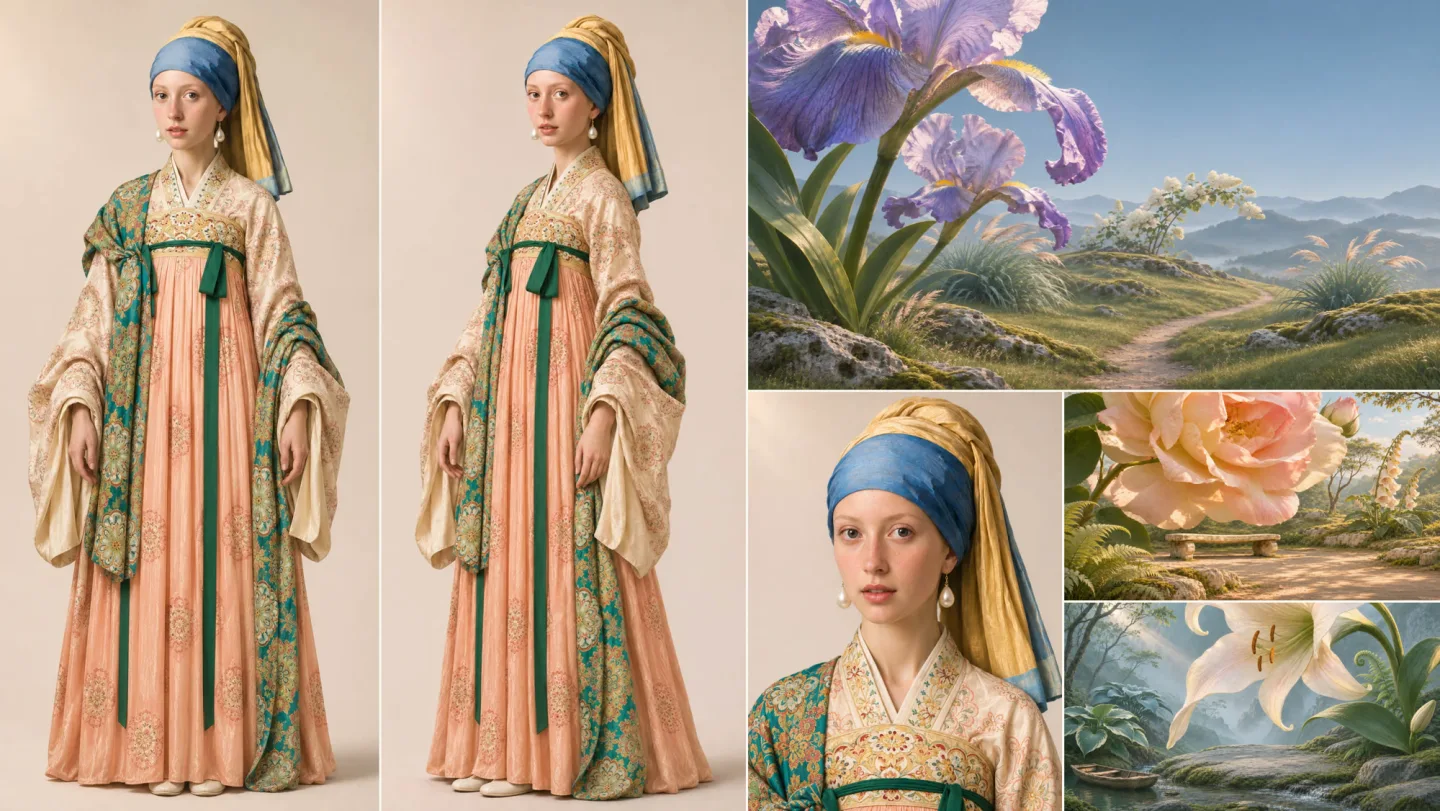
References that lock a cast and a world

Attach character sheets, location stills or motion clips, and the same face, wardrobe and set carry through every shot. On magie2.com one request takes up to 9 reference images and 5 reference videos. The model itself accepts up to 20, including 5 audio clips; audio references aren't available on magie2.com yet.

  • Up to 9 reference images and 5 reference videos per request on magie2.com
  • Face, wardrobe and production design hold across cuts
  • References are applied again during the 1080p upscale
OUTOne protagonist across three garden locations, held by reference stills
04 / 05Timeline controlBeat-level timing

Cuts on the second you write

Write the prompt as a timed shot list and MAGI-2 plays the beats in order. Call hard cuts at exact timestamps, or give only the story beats and let the model pick the angles and close-ups. The developers quote timing control down to 50 ms.

  • Timestamped beats inside a single generation
  • Hard cuts placed where the script puts them
  • Up to 30 seconds of timed beats in one render
OUTA 30-second montage cut to a timed shot list
05 / 051080p detail1080p · 25 fps

Detail that holds up at full resolution

A dedicated 1080p upscaling stage re-reads your reference images as it adds detail, so distant faces stay recognizable and on-screen text stays legible. Post-training focused on light falloff, skin, fabric, fur and material realism.

  • Reference-aware upscaling to 1080p, 25 fps
  • Recognizable small faces and readable on-screen text
  • Post-training tuned for lighting depth and surface texture
OUTMacro close-up with practical tungsten light and fine texture

04In production

Where teams put MAGI-2 to work

Long takes, synced sound and reference locking turn a single generation into footage you can use.

SC 01CommercialTK 01

Commercials and brand films

Go from a product macro to a lifestyle scene in one continuous pass, with matching sound design, in the aspect ratio each channel needs.

SC 02DramaTK 01

Performance and episodic shorts

Hold small glances, emotional turns and lip-synced lines on the same actor, with no separate dubbing step.

SC 03AnimationTK 01

Stylized and animated worlds

Keep character proportions, props and art direction intact from the wide shot to the close-up.

SC 04PrevisTK 01

Previs and VFX look-dev

Block camera moves, set pieces and sound timing at full sequence length before you book a stage.

05How to direct it

Write it like a shooting script

MAGI-2 responds to direction, not captions. Split the scene into timed beats, anchor it with references, then lock the format and render.

  1. 0100:00–00:10

    Block the scene in timed beats

    Set the subject, lens and mood, then split the action into time ranges such as 0–10 s, 10–20 s and 20–30 s, with the sound you expect in each.

  2. 0200:10–00:20

    Anchor the look with references

    Attach character sheets, set stills or motion clips. Let the references carry appearance and wardrobe so the prompt can focus on blocking and emotion.

  3. 0300:20–00:30

    Lock the format and iterate

    Choose the length and aspect ratio, mark the hard cuts you want, and render. Change one beat or one sound cue per pass to tune the pacing.

Sample script · 30 s
  1. 30 seconds, 16:9. A lighthouse keeper climbs a spiral staircase at dusk.
  2. 0–10 s: Low angle, the camera rises with him; wind whistles through the stairwell.
  3. 10–20 s: Hard cut to the lamp room as he lights the lamp; the glass hums and warm light fills the frame.
  4. 20–30 s: Slow pull-back through the window over a stormy sea; waves crash and a foghorn sounds in the distance.

Time ranges, marked cuts and a sound cue for each beat give MAGI-2 a clear plan to follow.

06Under the hood

A bigger model, finer routing, more data

MAGI-2 scales a single-stream audio-visual Transformer with Multi-Head Latent MoE routing and about 3× more training data. Together they keep long generations stable.

total parameters
480B
active per token
~28B
training tokens
4T
Video Arena Elo, 4-task avg
1150.3

01

One stream for picture and sound

Text, video and audio tokens run through the same Transformer stream, so motion, lip movement and sound staging stay tied together.

02

Multi-Head Latent MoE

Each token is split across independent heads, each with its own router and expert pool. At 480B scale this keeps cross-device traffic in check, and the developers report about 22% faster training than single-head LatentMoE at the same compute.

03

4T tokens, with the hard footage kept in

Training data grew about 3× over the Preview, to roughly 1 billion samples. Instead of filtering out complex footage such as multi-character scenes, fast cuts, on-screen text and dense real-world sound, the team kept it, which reduced structural artifacts.

04

Craft-focused post-training and upscaling

Reinforcement learning sharpens lighting depth, skin and fabric texture, fur and material realism. A latent upscaler then lifts the result to 1080p, 25 fps while applying your reference images again.

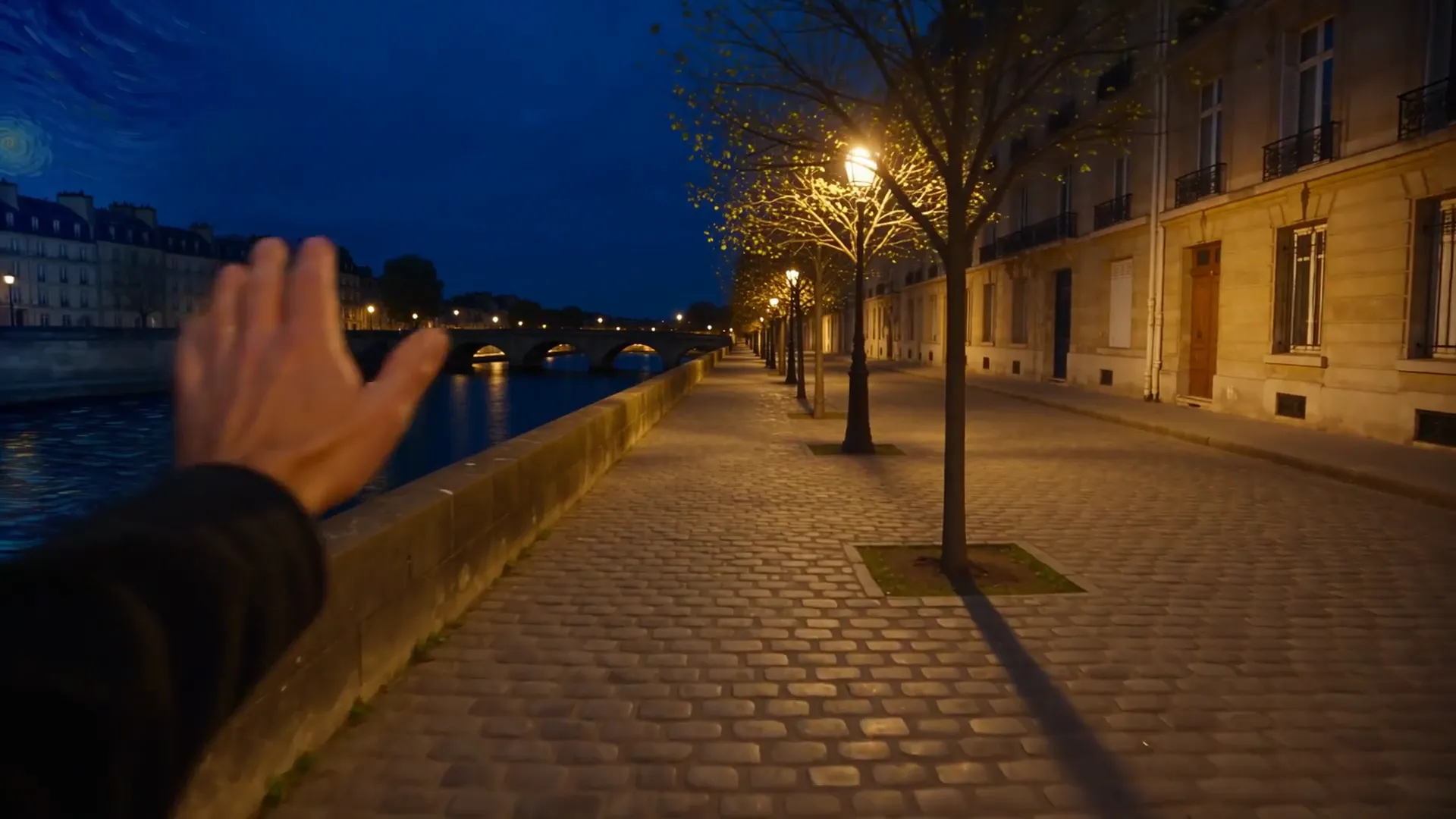
MAGI-2 vs MAGI-2 Preview

MetricMAGI-2 PreviewMAGI-2
ReleaseAugust 2026November 24, 2026
Total parameters~114B480B
Active parameters~6B~28B
Training dataBaseline~4T tokens (~3×)
Video Arena Elo (4-task avg)998.51150.3
Four-task average Elo (I2V, I2V-Silent, T2V-Silent, T2V) on Artificial Analysis Video Arena v2.1, as reported by the developers.

Known limits

What the developers say still needs work. Worth knowing before you plan a complex shot.

  • Very fast motion can still cause trajectory or continuity artifacts.
  • Medium and wide 2D animation shots can look too smooth in small movements.
  • Dense soundscapes still have room for richer layering and more physical realism.
  • Some reasoning abilities seen in pre-training are harder to draw out after post-training.

07FAQ

Questions, answered

The model, the studio and billing on magie2.com.

What is MAGI-2?

MAGI-2 is a 480-billion-parameter video model (about 28B active) that generates up to 30 seconds of 1080p, 25 fps video with synchronized audio in one pass. The model also takes up to 20 references, follows timed shot cuts and can make targeted edits to existing video. On magie2.com you use it in the browser: a prompt, reference images or reference videos in, a 4–30 second 1080p video with sound out.

How long can one MAGI-2 generation be?

Up to 30 seconds at 1080p and 25 fps. The whole sequence is generated in one pass, so a single prompt can cover several story beats or planned cuts. In the studio you can pick any length from 4 to 30 seconds.

Does MAGI-2 generate its own audio?

Yes. Dialogue with lip-sync, foley, ambient sound and music come out of the same pass as the picture. Nothing is added afterward.

What references can I attach?

On magie2.com, up to 9 reference images and 5 reference videos per request, or a first and last frame instead. Use them to lock a face, wardrobe, location or motion style. The MAGI-2 model accepts up to 20 references, including 5 audio clips, but audio references aren't available on magie2.com yet.

Can I control exactly where the shots cut?

Yes. Split the prompt into time ranges and call hard cuts at specific seconds, and MAGI-2 follows that timeline in one pass. You can also give only the story beats and let the model choose the shots.

How do I start creating with MAGI-2 on magie2.com?

Sign up free on magie2.com and open the studio at the top of this page. Every new account gets 10 credits, enough for one 4-second 1080p trial with native audio.

Can I try MAGI-2 before I pay?

Yes. The 10 sign-up credits cover one 4-second 1080p MAGI-2 video with native audio, carrying a watermark. Paid plans unlock watermark-free 4–30 second 1080p videos at 2.8 credits per second.

How is usage billed on magie2.com?

Each generation uses credits based on the model, length and resolution. The studio shows the exact cost before you render. Subscriptions and one-time credit packs that never expire are listed on the Pricing page.

What happens if a generation fails?

If a render fails because of a system or upstream model error, its credits go back to your balance automatically. Prompts stopped by the safety filter don't use credits, and the studio tells you the render was blocked.

Can I download the videos and use them commercially?

Paid renders have no watermark, download as MP4 files and include commercial-use rights. The free trial clip carries the magie2.com watermark and can be watched on the site but not downloaded.

What are MAGI-2's current limits?

Very fast camera or subject motion can occasionally break continuity, medium and wide 2D animation can look too smooth, and dense soundscapes work best when the prompt gives short, clear sound cues.

Can magie2.com do everything the MAGI-2 model can?

Not yet. The studio renders MAGI-2 at 1080p with native audio for 4–30 seconds, in 16:9, 9:16 or 1:1, with up to 9 reference images and 5 reference videos. The model's other aspect ratios, audio references and edits to existing video aren't available on magie2.com yet. The table in the model section lists both side by side.

What does magie2.com include?

The MAGI-2 Web Studio, a multi-model workspace, a tested prompt library, flexible credit plans, and MCP / API access over Streamable HTTP. For account, billing or business questions, email support@magie2.com.

MAGI-2 on magie2.com

Your first take is free

Sign up, get 10 credits, and render a 4-second 1080p MAGI-2 clip with native audio. No card required.